
AVG Cleaner – Storage Cleaner
AVG MobileProductivity
4.663.95K Reviews
- Version
- 26.12.2
- Installs
- 100.00M
- Age Rating
- Everyone
Screenshots
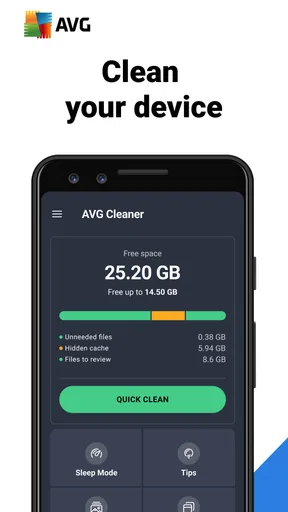
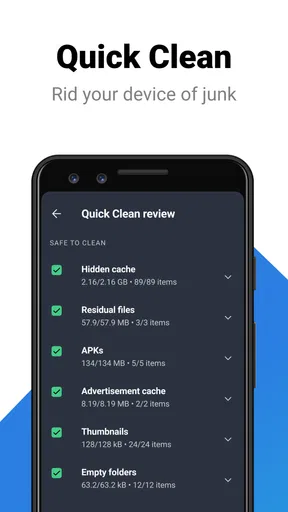
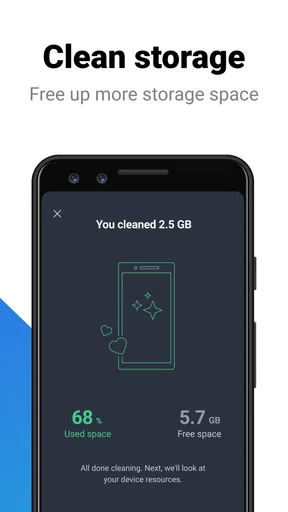
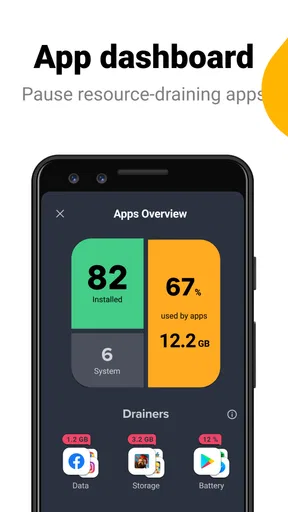
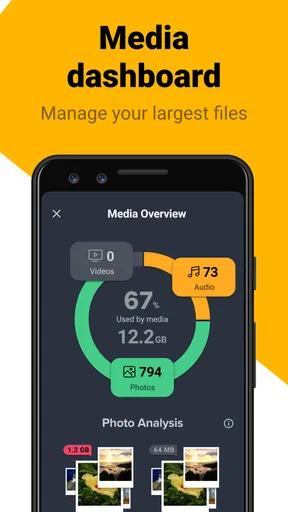
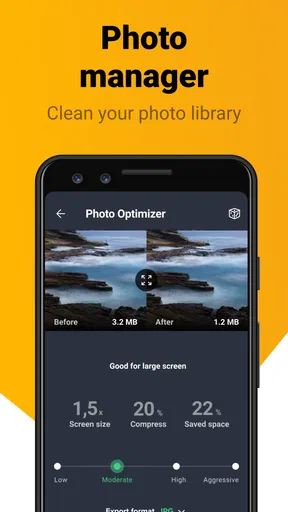
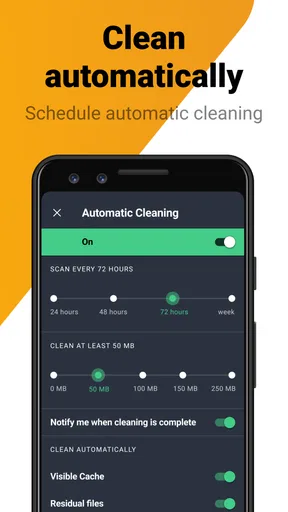
Our Review of AVG Cleaner – Storage Cleaner
 Analysis by Appyee
I get the most from a phone cleaner when I treat it as a small part of a sensible storage routine, not as a button that will fix every performance problem. AVG Cleaner – Storage Cleaner is aimed at Android users who want help finding removable clutter and reviewing what is taking up room. It is a free productivity app from AVG Mobile, with optional in-app purchases ranging from $1.49 to $39.99 per item. Its broad appeal is reflected in a 4.6 average from around 1.9 million ratings and over 50 million installs, but those numbers matter less than whether its suggestions fit your habits.
Start with the storage problem, not the clean button
Before I run any cleaner, I ask what is actually causing the pressure: a full photo library, downloads I no longer need, or a phone that feels sluggish for reasons unrelated to storage. A cleaner can help surface candidates for removal, but it cannot make a nearly full device spacious forever or guarantee that every slowdown is caused by junk files. That distinction keeps expectations realistic and makes each cleanup more useful.
For a practical first pass, I would check the phone’s own storage screen, then use AVG Cleaner to review the areas it identifies. The app is most helpful when it turns an unclear “storage is low” warning into a set of decisions I can inspect. I would not treat every suggested deletion as automatic: files can look expendable while still being useful, especially downloads, screenshots, and photos that have not been backed up elsewhere.
A review-first approach to cleaning
The strongest workflow here is to scan, inspect, and then choose. That is especially important for photo suggestions. Similar images or lower-quality shots may be easy to replace, but an apparently redundant picture can be the one with the expression, framing, or detail you wanted to keep. I would compare suggestions in small batches rather than approve a large selection while distracted.
A useful habit is to begin with categories that are easy to recognize, such as old downloads you remember saving for a one-off task. Leave anything ambiguous for later. This makes cleanup less stressful and reduces the chance that a quick attempt to reclaim space turns into searching for a deleted file. If a particular item matters, confirm that it exists somewhere safe before removing it.
Make cleanup repeatable, not constant
Reminders can help me remember that maintenance exists, but I would use them as prompts to check the situation, not as orders to clean on a fixed schedule. A phone that has plenty of room does not need repeated scans just because a notification appears. On the other hand, someone who frequently saves images, documents, and offline files may appreciate a nudge to review them before storage becomes a daily annoyance.
The app is on Android, with a minimum operating-system requirement of version 10 and a current version of 26.01.0. It is rated for Everyone, and it has been available since April 30, 2013. Those details make it easier to judge fit before installing, particularly if you are helping someone else manage a phone. I would still check that the app is compatible with the specific device and that I am comfortable reviewing its suggestions before making cleanup part of a routine.
In everyday use, I would open it when a storage warning interrupts something I am trying to do, such as taking photos during a day out. I could review obvious leftovers first, then look carefully at photo suggestions rather than deleting memories in a hurry. The point is not to make the phone perfectly empty; it is to free enough room for what I actually want to keep doing.
Where a cleaner can fall short
Storage cleanup and speed are not the same thing. Removing files may solve a space shortage, but it will not necessarily fix an older device, a demanding app, a weak connection, or another cause of lag. I would be cautious about expecting a battery suggestion to transform battery life as well: an analysis can help identify apps worth reviewing, but it is not a substitute for changing habits or checking the phone’s own battery settings.
There is also a trade-off between convenience and control. A cleaner makes it easier to find potential targets, yet the final decision still belongs to me. Photo review in particular takes attention, and reminders can feel unnecessary if I already manage storage myself. If I only need to remove one known download, the built-in file manager may be quicker; if I want guided suggestions across several cleanup areas, AVG Cleaner is a more purposeful place to start.
Who will get the most from it?
I would recommend it to people who regularly run low on space, take many photos, or want a guided way to review storage without digging through folders one by one. It can also suit someone who is not confident about where to begin, provided they are willing to inspect suggestions instead of tapping through them blindly. The free starting point makes it easy to try, while the optional purchases are worth considering only if their terms and features make sense for your needs.
I would skip it if my phone rarely runs short of space, I already prefer the built-in storage tools, or I expect a cleaner to repair every performance or battery issue. The same goes for anyone who dislikes reviewing deletion suggestions: a little extra control is a benefit only if you are prepared to use it. For a single file, a direct manual cleanup is often simpler than adding another app to the routine.
What Does AVG Cleaner Do?
Alright, let’s dive into what AVG Cleaner – Storage Cleaner is all about. It's essentially an app designed to clean out the digital cobwebs from your device. Think of it like a vacuum cleaner for your phone. It gets into those nooks and crannies you never knew existed and spruces things up. From clearing out junk files to optimizing your battery life, this app has got you covered.
Features That Make a Difference
One of the standout features is its junk cleaner. We all have those pesky files that accumulate over time. AVG Cleaner identifies and removes them, freeing up precious storage space. The interface is straightforward – even a non-techie can navigate it with ease. Just a few taps, and bam, you're good to go!
Another feature worth mentioning is the photo manager. It scans your gallery for duplicate or low-quality images and suggests which ones you might want to delete. It’s a lifesaver, especially when you're running out of storage and can’t figure out what's hogging space. Plus, it gives you a chance to revisit some old memories before you decide to let them go.
Let's not forget the battery saver feature. It analyzes the apps that are draining your battery and offers suggestions to extend your device's uptime. For someone constantly on the go, this is a godsend.
User Experience: Easy Breezy
Now, let's talk about how it feels to actually use the app. The user interface is clean and intuitive, which I appreciate. No clutter, just straightforward options that get the job done. The setup process is a breeze, and within minutes, you're ready to start cleaning.
The app also provides regular reminders to clean your phone, which is a nice touch. It’s like having a little digital assistant nudging you to keep things tidy. And if you’re someone who tends to forget about phone maintenance, these reminders can be really handy.
The Verdict: Worth a Download?
So, is AVG Cleaner – Storage Cleaner worth your time and storage space? Absolutely! It's a solid app that delivers on its promises. Whether you're looking to free up space, manage your files more effectively, or extend your battery life, this app has you covered.
In a world where our phones are practically extensions of ourselves, keeping them in top shape is crucial. And with AVG Cleaner, it feels less like a chore and more like a simple, routine task. So go ahead, give it a whirl. Your phone will thank you!
To wrap it up, AVG Cleaner is like that handy friend who's always there to help you tidy up, without any fuss. It's reliable, efficient, and easy to use. If your phone could speak, it would probably be singing praises right now. So, what are you waiting for? Head over to the app store and let AVG Cleaner do its magic!
Verdict
Strengths of AVG Cleaner – Storage Cleaner
- Efficient junk file removal boosts device speed.
- User-friendly interface with intuitive navigation.
- Customizable cleaning schedules for convenience.
- Battery-saving mode extends device usage time.
- Comprehensive app management and analysis tools.
Limitations of AVG Cleaner – Storage Cleaner
- Ads can be intrusive without premium version.
- Some features locked behind a paywall.
- Occasional false positives in file cleaning.
- May drain battery if used frequently.
- Limited support for older Android versions.
Other Releases by AVG Mobile
View All
AVG AntiVirus & Security
Tools4.6

AVG Secure VPN Proxy & Privacy
Tools4.3
Similar Picks in This Category
View All
Google Calendar
Google LLC4.6

Google Drive
Google LLC4.3

Google Assistant
Google LLC3.9

Microsoft OneDrive
Microsoft Corporation4.6

Samsung Calendar
Samsung Electronics Co., Ltd.4.1

Microsoft OneNote: Save Notes
Microsoft Corporation4.6
Frequently Asked Questions
What is AVG Cleaner and how does it work?
AVG Cleaner is an app designed to optimize your device's performance by cleaning up junk files, managing storage, and enhancing battery life. It works by scanning your device for unnecessary files, such as cache and duplicates, and then safely removing them to free up space and improve efficiency.
Is AVG Cleaner safe to use on my device?
Yes, AVG Cleaner is safe to use on both Android and iOS devices. It is developed by AVG Technologies, a reputable company known for its security software. The app ensures that only unnecessary files are removed, preventing accidental deletion of important data. Regular updates also enhance its safety features.
Does AVG Cleaner affect my device's battery life?
AVG Cleaner is designed to improve battery life by identifying apps and processes that consume excessive power. It provides insights and recommendations on how to optimize battery usage. By managing these processes effectively, the app helps extend your device's battery life rather than depleting it.
Can AVG Cleaner help with storage issues on my device?
Yes, AVG Cleaner is highly effective in managing storage issues. It scans for and deletes cache, duplicate photos, and other unwanted files. The app also offers features like file analysis to help you understand and manage your storage better, ensuring you have more space for important apps and media.
Is there a cost associated with using AVG Cleaner?
AVG Cleaner offers both free and premium versions. The free version includes basic cleaning features and performance enhancements. The premium version, available through a subscription, provides advanced features such as automatic cleaning, deeper analysis, and personalized optimization tips to enhance your device's performance further.
